Shopify Translate & Adapt is Shopify's official translation app: free, pre-installed as soon as you add a language, and good enough for a first international test.
But once your multilingual strategy gets serious, its limits turn into blockers. Here's what the official app doesn't do, and everything Reversia does on top, point by point.
Translate & Adapt: what the official app does, and what it doesn't
Launched by Shopify in 2022, Translate & Adapt relies on Google Translate for automation and a side-by-side editor for manual work. Its strengths:
- Free, with no time limit
- Auto-translation of 2 languages via Google Translate
- Manual side-by-side editor, resource by resource
- Content adaptation per market
On the flip side, the list of gaps gets long as soon as you dig:
- Auto-translation capped at 2 languages: the 3rd language is 100% manual
- URL slugs aren't translated automatically: your multilingual SEO stays incomplete
- No glossary or brand prompt: Google Translate works without context, including on your product names
- Metafields and metaobjects translated field by field
- No image localization at all, neither products nor theme
- New content isn't detected or retranslated automatically
That's exactly the scope Reversia was built to cover. Let's go through the advantages.
All your languages translated automatically, not just 2
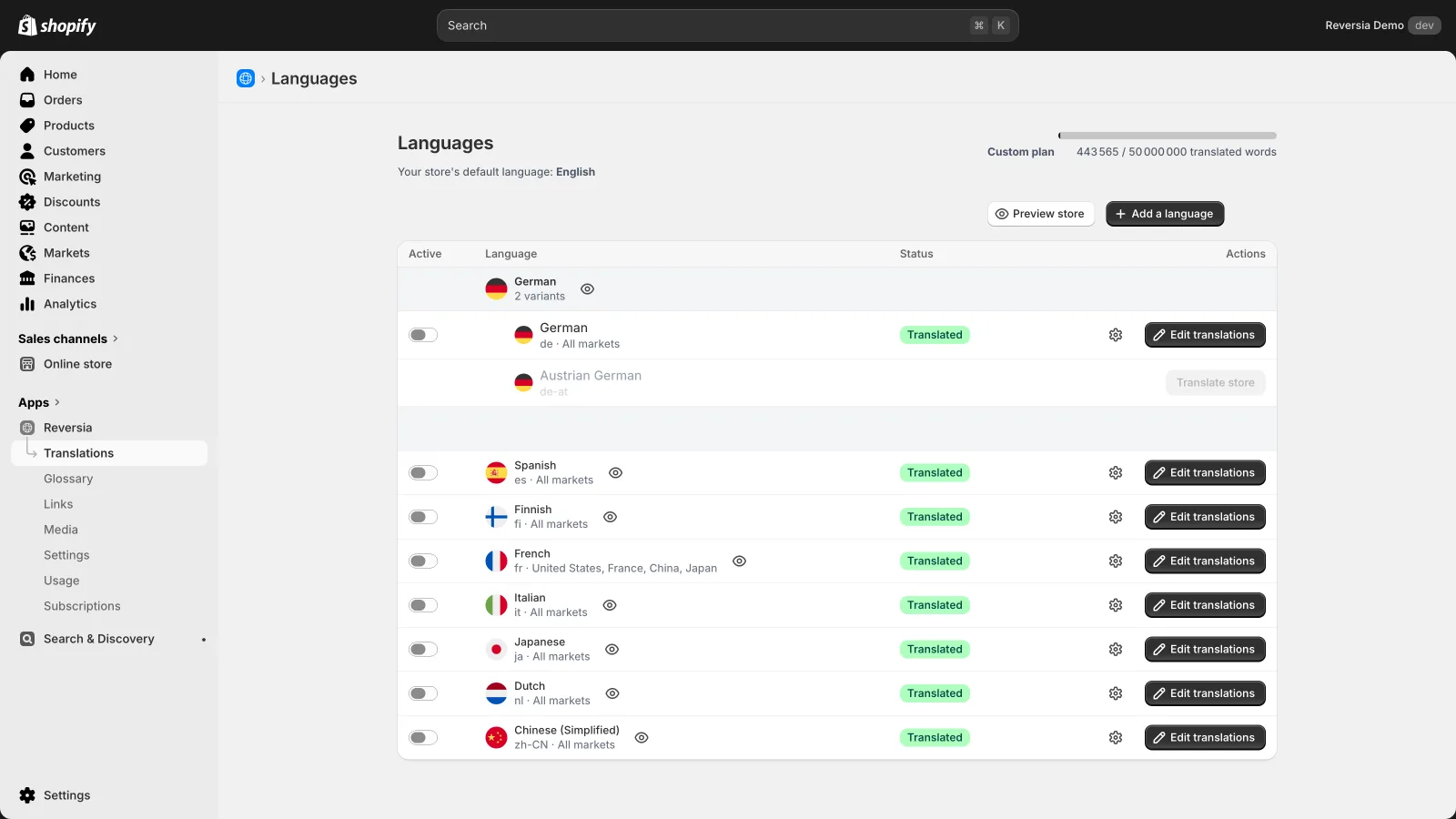
Where Translate & Adapt stops at two auto-translated languages, Reversia translates every language of your store, up to Shopify's 20 publishable languages, regional variants included.
Each language is added in a few clicks, assigned to one or more markets, and fully translated in minutes. The cost of an extra language drops to practically zero.
A translation that knows your brand, not generic Google Translate
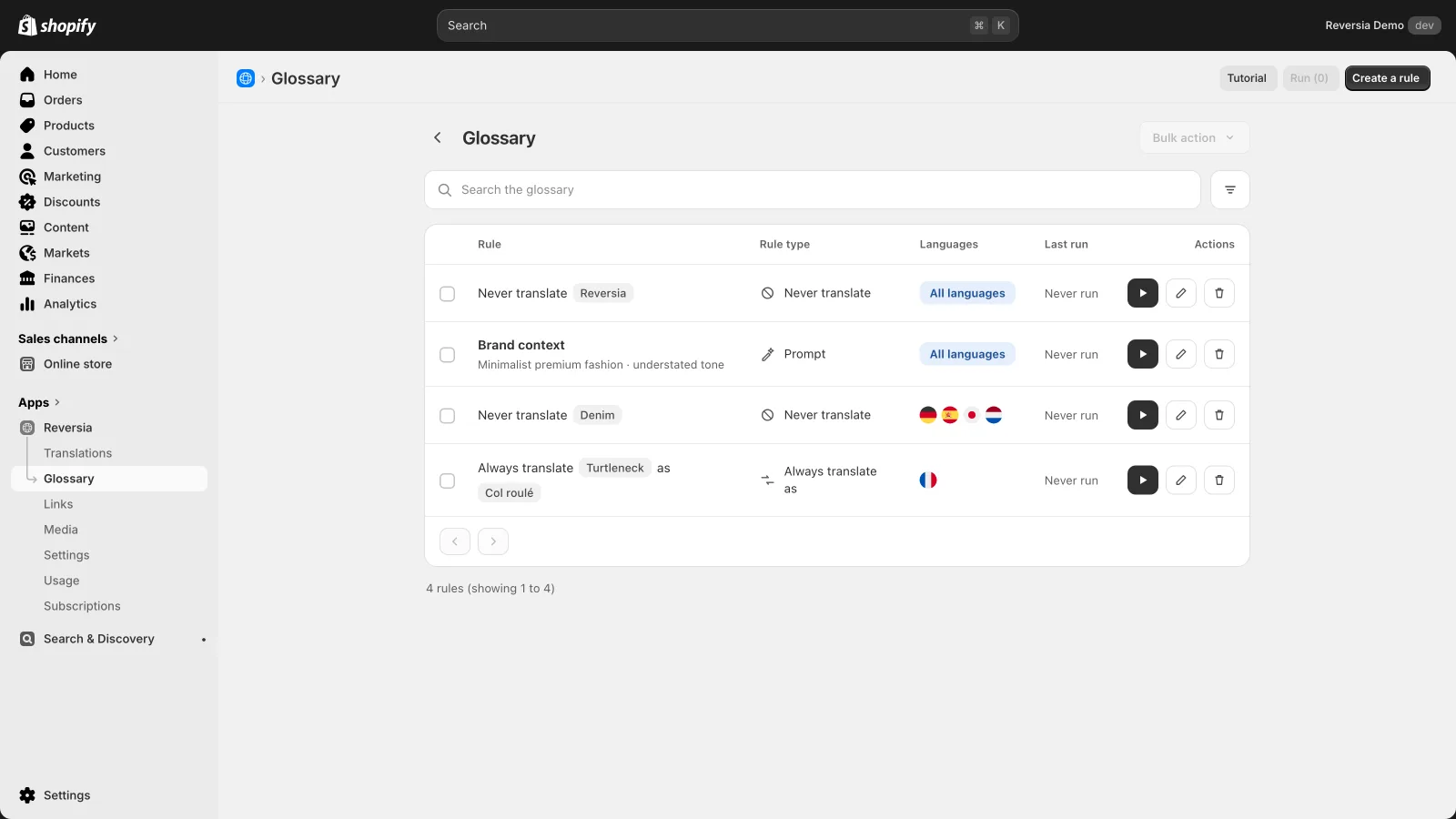
Translate & Adapt sends your copy to Google Translate with zero context. Reversia runs on Anthropic's Claude AI, framed by your configuration:
- A context prompt describing your brand, your audience and your tone
- Never-translate rules for your brand and product names
- Forced translations for your key vocabulary, language by language
- Language-specific prompts when a market calls for a particular register
These rules apply to every language at once. You configure once, every new language inherits them.
Full editorial control: editor, locking, retranslation
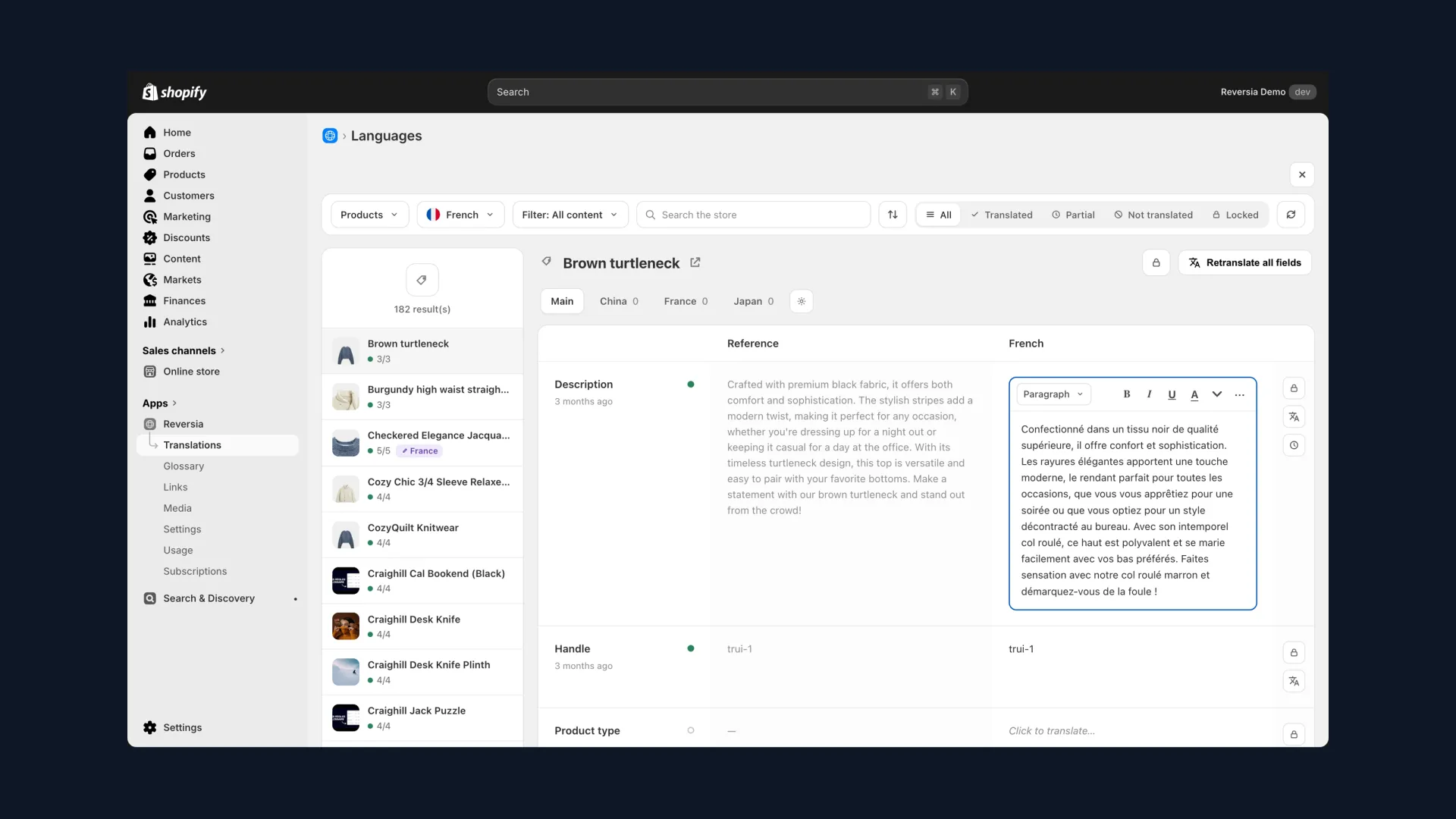
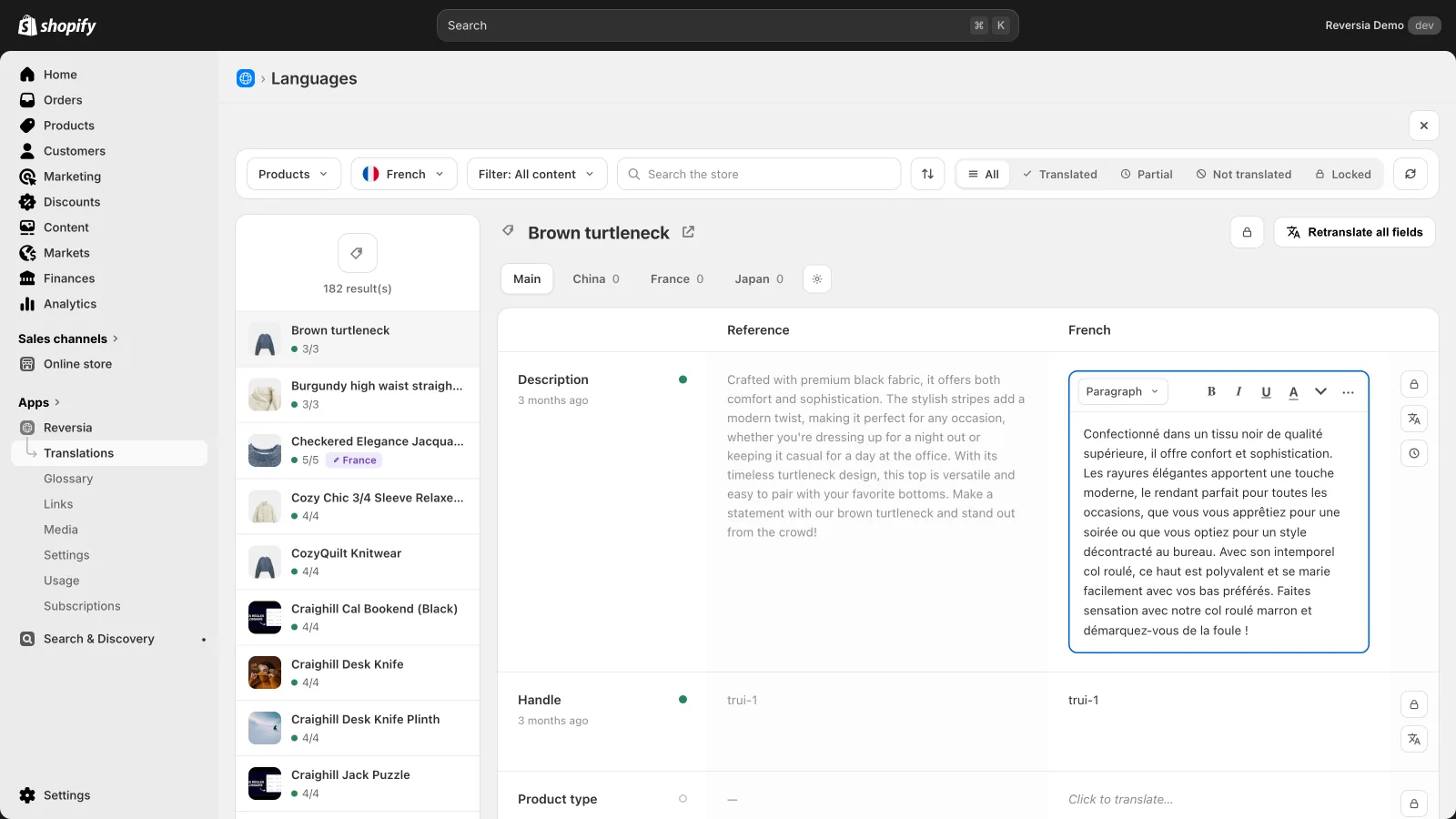
Automation takes nothing away from control. Reversia's editor shows the original and the translation side by side, like Translate & Adapt, but goes further:
- Status filters: translated, partial, not translated, locked
- Field locking to protect a hand-edited translation
- One-click retranslation of a field, a product or the whole store
- Version history and per-market variants (France, Japan…)
Complete multilingual SEO, down to URL slugs
It's one of Translate & Adapt's most costly blind spots: URL slugs aren't translated automatically. Your Spanish pages keep French URLs, and Google notices.
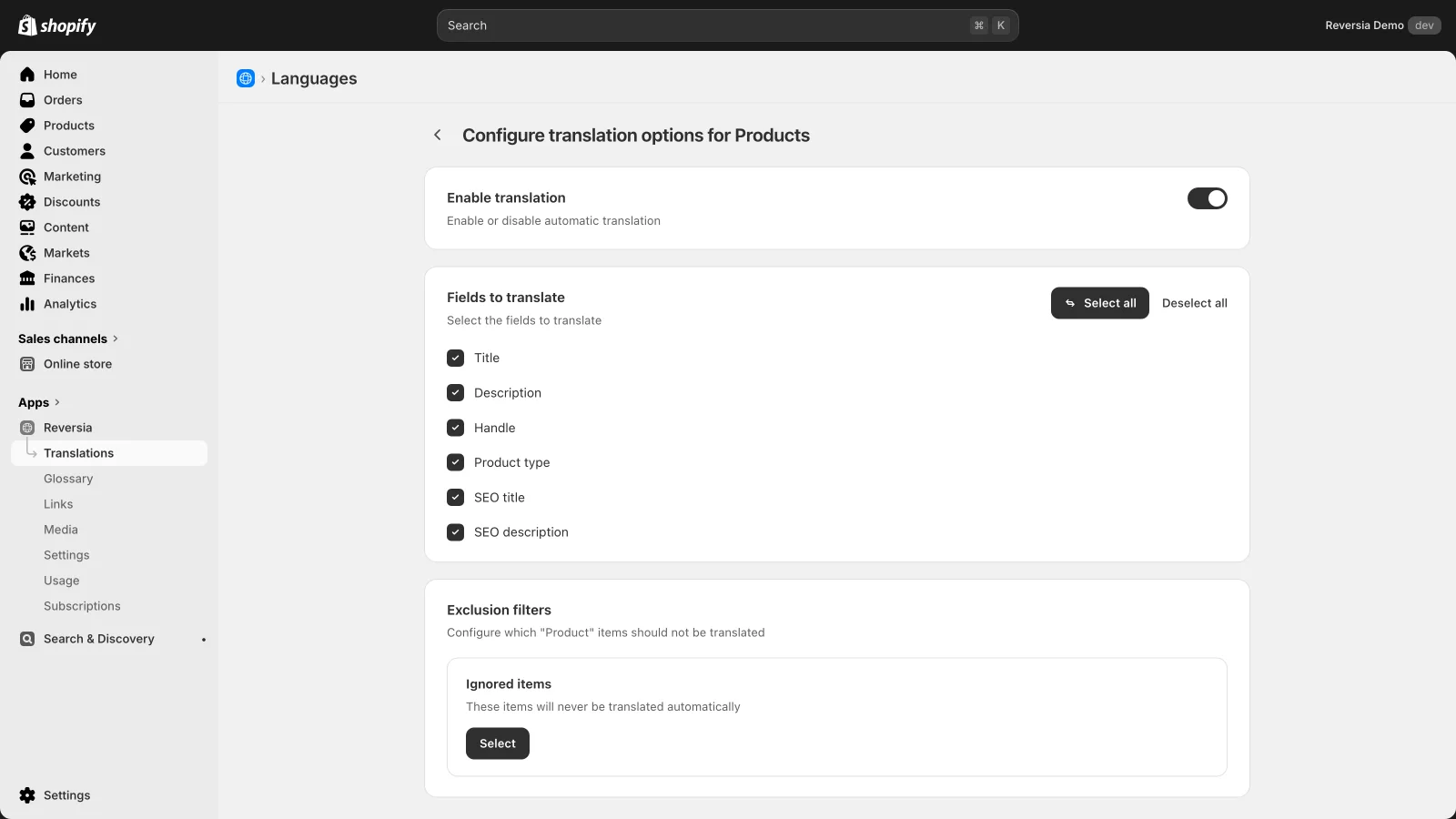
Reversia translates URL handles, SEO titles and descriptions, alt tags, and manages hreflang. You choose field by field what gets translated, with per-resource exclusion filters. Metafields and metaobjects are covered along the way, automatically.
Localized images, a feature the official app doesn't have at all
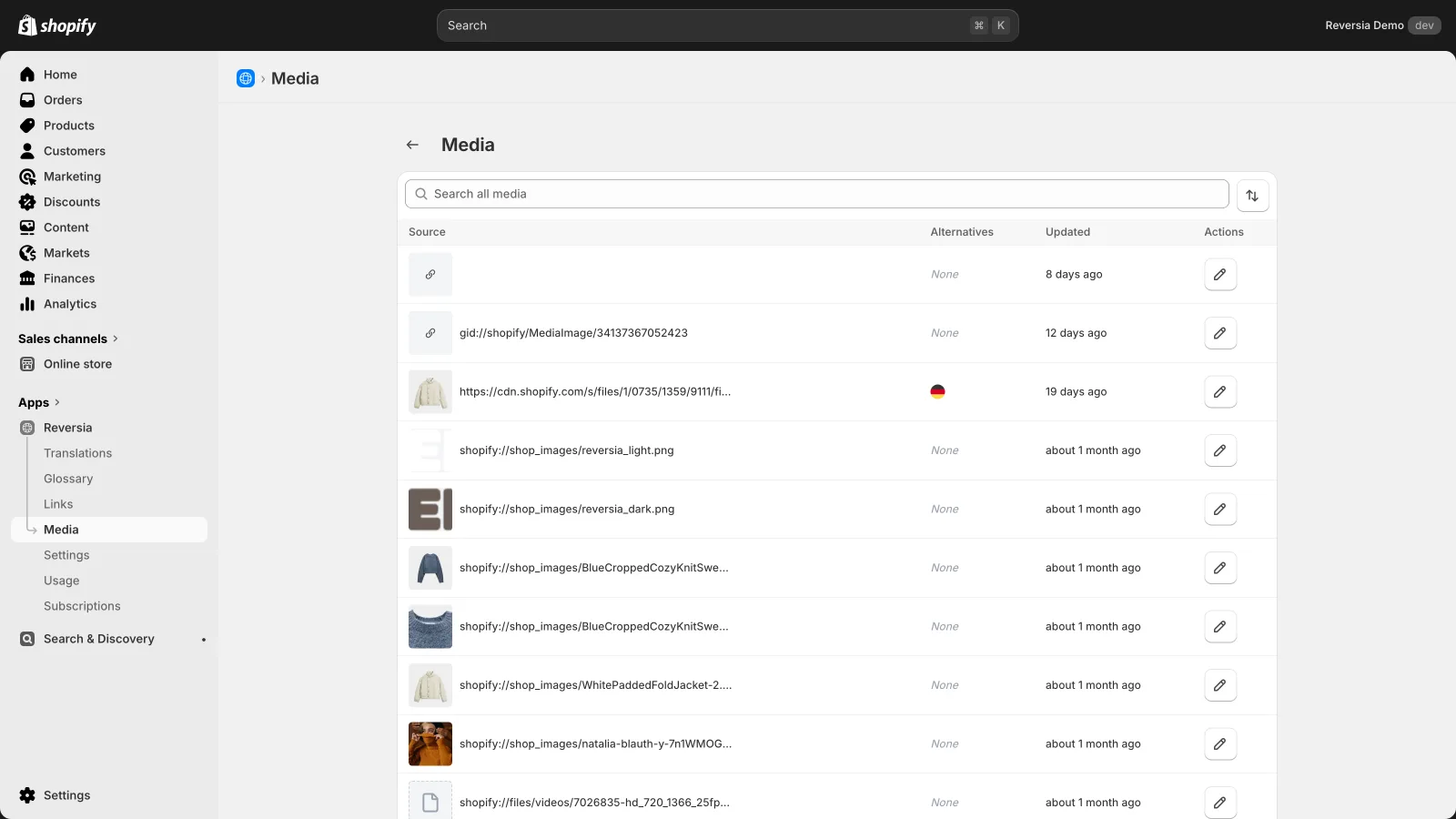
Banners with baked-in text, size guides, campaign visuals: Translate & Adapt offers no way to adapt them per language. Reversia handles it at both levels, product images from the translation editor and theme images from the Media section, with per-market targeting.
The full comparison
Both apps live in your Shopify admin and store their translations natively in the platform. Everything else differs:
| Translate & Adapt | Reversia | |
|---|---|---|
| Auto-translated languages | 2 maximum | All your Shopify languages |
| Translation engine | Google Translate, no context | Anthropic's Claude AI, framed by your brand |
| Glossary and prompts | No | Yes, inherited by every language |
| Translated URL slugs | Manually only | Automatically |
| Metafields and metaobjects | Manual input | Translated automatically |
| Localized images | No | Yes, products and theme, per market |
| New content | Retranslated by hand | Detected and translated |
| Support | Shopify documentation | Human, 7 days a week, email and phone |
| Price | Free | From $299/month |
Comparison as of July 2026. Translate & Adapt stays unbeatable on one criterion: price. If your need stops at two languages and a small catalogue, stick with it. For everything else, the scope gap is structural.
See the detailed Reversia vs Translate & Adapt comparison
Switching from Translate & Adapt to Reversia
Good news: the migration is risk-free, because Shopify stores translations natively. Nothing is lost when changing apps.
- Install Reversia from the Shopify App Store, your existing translations are kept.
- Set up your brand prompt and glossary rules.
- Run the translation on your current languages to fill the gaps, then add the next ones.
Within an hour, a store that was capped at two languages moves to five or six, with consistent terminology and complete SEO.
FAQ: choosing your Translate & Adapt alternative
Translate & Adapt is free, why pay for an alternative?
Because the real cost of the free app is time: manual input beyond 2 languages, slugs translated one by one, metafields field by field. Once the catalogue or the language count grows, that time far exceeds a subscription.
Which translation engine does Reversia use?
Anthropic's Claude AI, one of the best models on the market, framed by your brand prompt and glossary rules. Translate & Adapt relies on Google Translate, with no customization possible.
Do I lose my Translate & Adapt translations when migrating?
No. Shopify translations are stored natively in the platform, not in the app. Reversia picks up what exists and fills in what's missing.
Can you use both apps at the same time?
Technically yes, they write to the same place. In practice, you want a single source of truth: once Reversia is set up, Translate & Adapt serves no purpose anymore.