Do you want to develop your e-commerce business internationally? Then translating your PrestaShop store is essential to open these new markets.
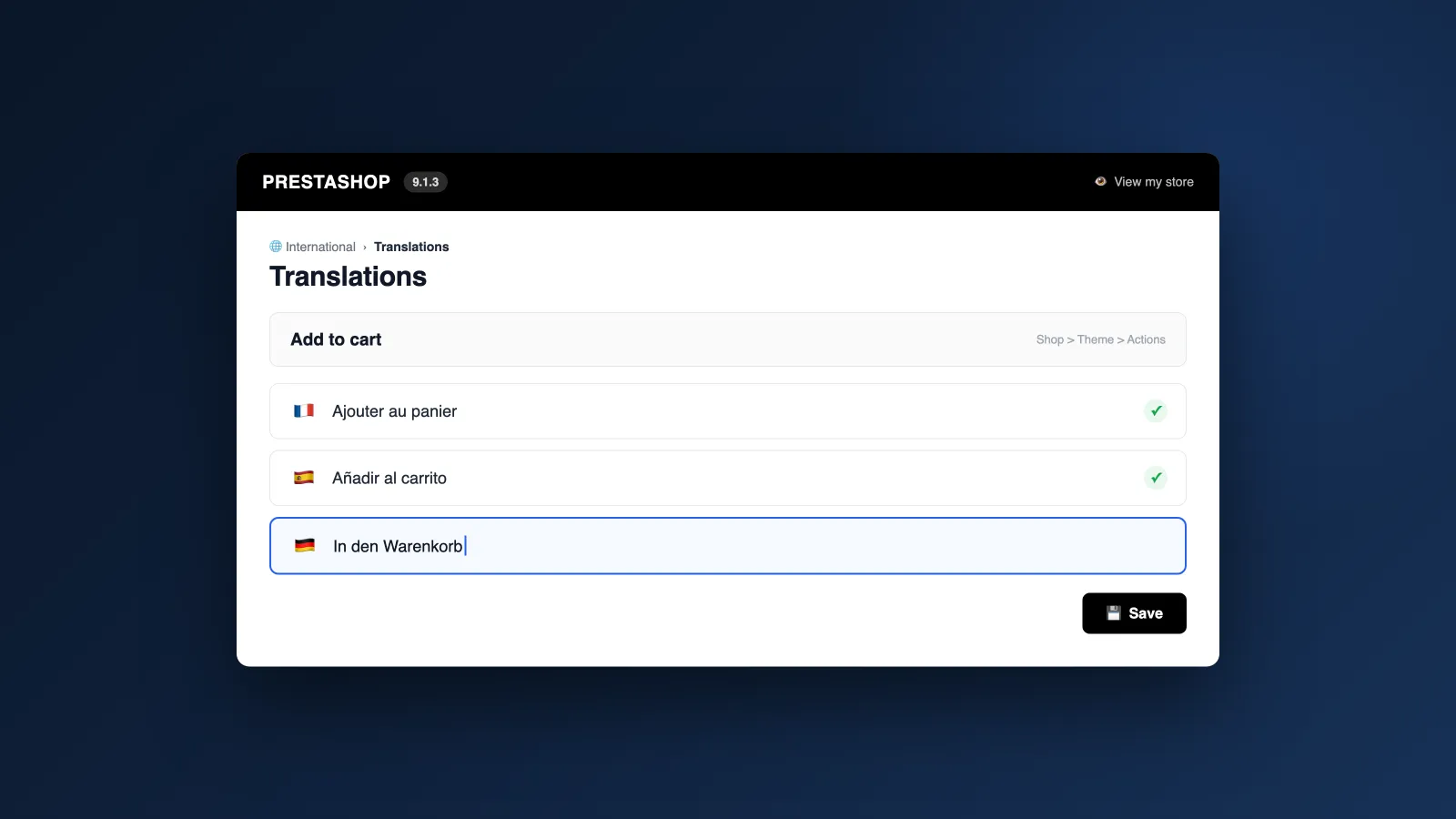
The PrestaShop CMS has its own translation system to help you set up new international versions of your site.
However, you will need to verify that your theme and modules are properly translated. There are multiple ways to do this: automatic translation, semi-automatic with ChatGPT, manual translation or by a professional…
In this guide, we will give you all our tips and tricks to perfectly translate your PrestaShop store.
I. Prepare your PrestaShop for translation
Before starting the translation of your PrestaShop store, it is essential to prepare well and consider several crucial elements to ensure a smooth and efficient translation process.
1. Basic settings verification
Activating multi-language functionality
The first step is to activate the multi-language functionality in your PrestaShop store. To do this, go to the PrestaShop back office, then navigate to « International » > « Localization » > « Languages ».
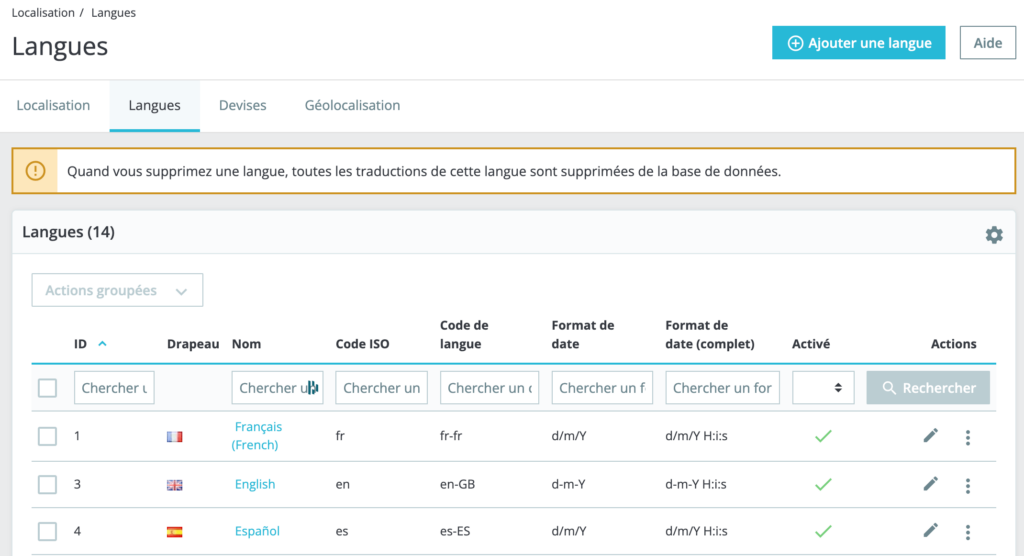
Here, you can add the necessary languages for your store. Also make sure that the languages you want to use are activated.
Checking theme and module compatibility
Before starting translation, verify that your store's theme as well as all modules used are compatible with the languages you want to add. Some themes and modules may require specific adjustments or updates to support multiple languages.
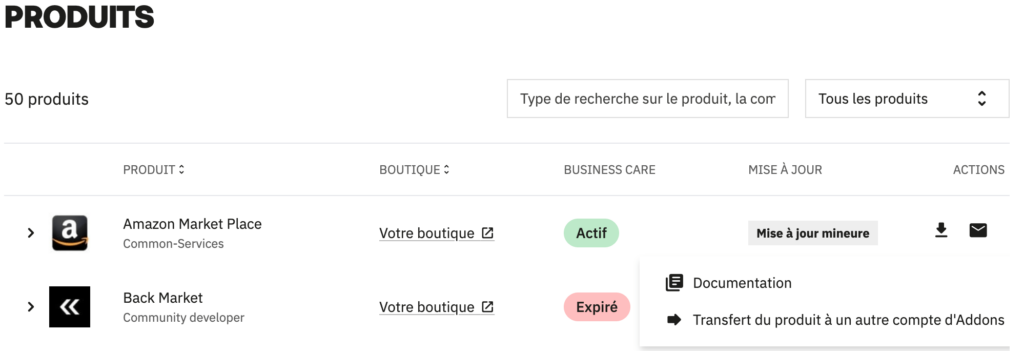
Consult the documentation of your theme and modules to check their multi-language compatibility. To do this, go to the « Products » section on PrestaShop's Addons marketplace, click on the module of your choice and download its documentation.
We recommend asking your developer to analyze this.
2. Identifying elements to translate
Translating your PrestaShop store involves several types of content:
- Static texts: These include CMS pages (About, Terms and Conditions, etc.), product descriptions, categories, and product features.
- Dynamic texts: This includes emails sent to customers (order confirmation, shipping notification, etc.), system messages, notifications and error messages.
- Specific modules and themes: Some modules and themes may have their own texts to translate. Make sure to include them in your translation plan.
PrestaShop already includes a significant number of translations at the heart of its CMS. The key thing to remember: you'll only need to translate the basic e-commerce elements (static content) once and continuously translate new content.
3. Define your URL structure: multidomain, subfolder or subdomain
A recurring question is whether it's better to use a domain name per country, subdomains, or subfolders to structure a multilingual website. There are actually 3 different strategies.
Three domain name strategies for a multilingual site
This strategy is often most suitable if your business requires a strong local presence in each targeted country. It consists of:
- Creating a distinct site for each market, with a specific domain name (for example, www.yoursite.co.uk, www.mywebsite.com). This allows more autonomous and responsive local management.
- Developing unique content for each site to better adapt to local specificities, or translating content into different languages.
Advantages:
- Site optimization for each region, allowing specific tests to improve conversion rates according to local shopping behaviors.
- Using a local domain to strengthen consumer confidence and favor obtaining local backlinks, thus improving SEO.
Disadvantages:
- Each domain must be indexed individually, increasing workload.
- High cost, as SEO must be repeated for each market.
If your main site is well established, this approach can be beneficial. It relies on:
- Using an international domain name (often .com, .net, .org), allowing you to capitalize on existing reputation.
- Creating specific subfolders for each language or country (for example, www.yoursite.com/fr/).
Advantages:
- Centralized SEO management, where each incoming link benefits the entire site.
- Suitable for SMEs with reduced maintenance needs.
Disadvantages:
- Less proximity with consumers compared to a multidomain site.
- Difficult to obtain local backlinks compared to a multidomain approach.
This strategy, while less favorable for SEO, is less expensive and suitable for smaller sites.
- Simple to implement.
- Easy management of different languages via Google Search Console.
Disadvantages:
- Each subdomain requires separate indexing, which increases work.
- Internet users may perceive subdomain use negatively, questioning site localization.
Additional factors
Other elements, such as available budget, level of competition in the sector, and client typology (B2B or B2C), must also be taken into account when choosing domain name strategy. For a personalized evaluation, don't hesitate to consult us.
II. Difference between multilingual mode and multi-store
When managing an online store with PrestaShop, you have the possibility to extend your activities through two powerful features: Multilingual mode and Multi-store mode. Although these two options may seem similar, they respond to different needs.
Multilingual mode
Multilingual mode allows you to manage multiple languages within a single PrestaShop store. This functionality is ideal for businesses that want to offer their products and services to international clientele, while keeping a single store.
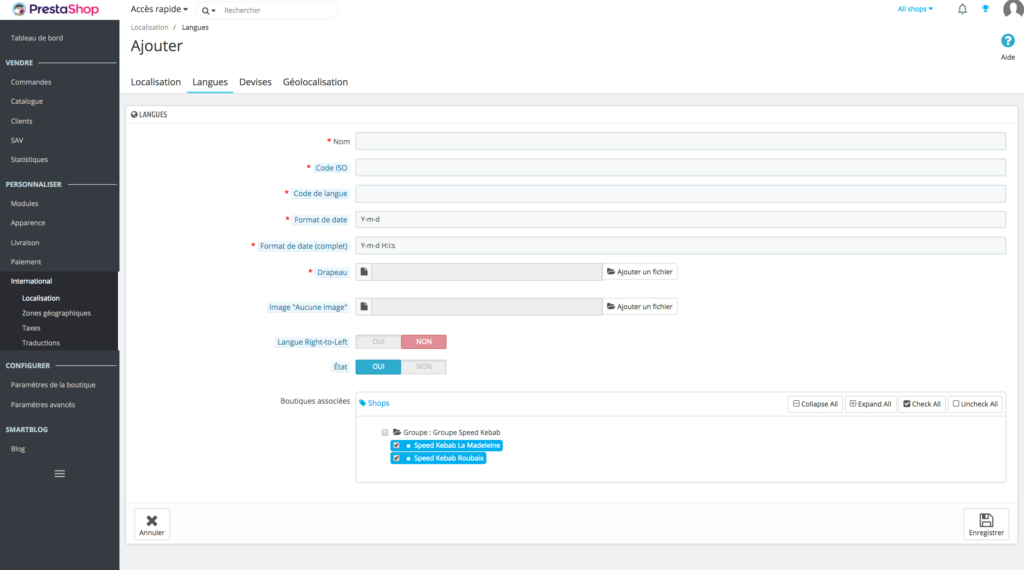
This mode allows you to translate all your store content - product descriptions, CMS pages, emails, notifications and user interface texts. Site visitors can select their language of choice to browse and make purchases.
All languages are managed within a single store instance. You have only one product database, one catalog, and one inventory management, but content is displayed in different languages based on user selection.
Multilingual mode also allows you to optimize your store for SEO in multiple languages. Each language can have specific meta tags, URLs and content, which improves your store's visibility in international search results.
Multi-store mode
Multi-store mode allows you to manage multiple distinct stores from a single PrestaShop installation. This option is ideal for businesses wanting to manage different brands, product lines, or target different geographic markets with distinct catalogs.
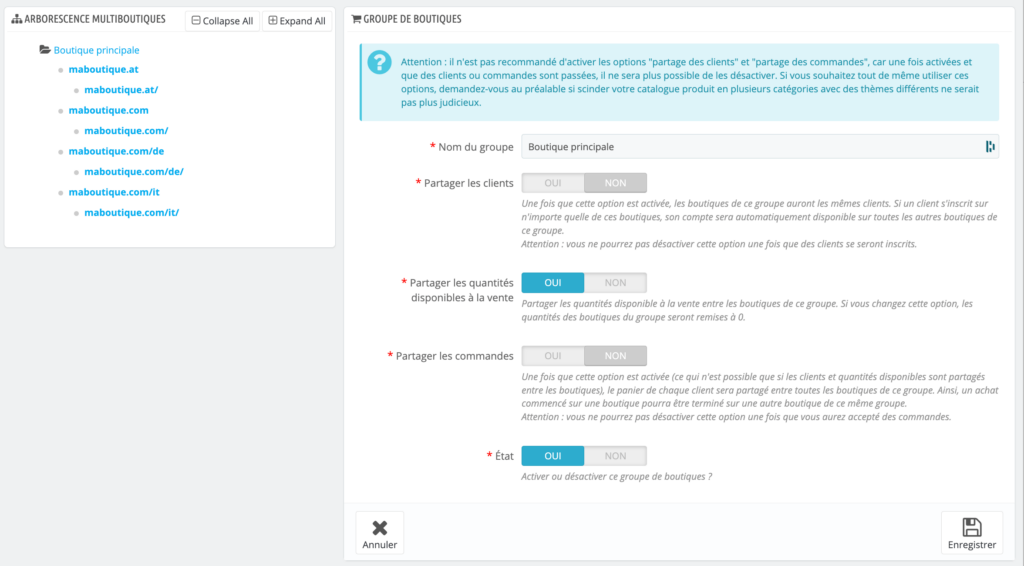
This mode allows you to create and manage multiple stores with independent configurations and designs. Each store can have its own product catalog, prices, payment and delivery methods, and even its own theme.
Although each store can be distinct, all stores share a common administration base. You can manage inventory, orders, and customers from a single back office, but with the flexibility to adapt each store to its specific needs.
When to use Multilingual vs. Multi-store?
Choose Multilingual mode if you want to sell the same product catalog in multiple languages without modifying price structures, delivery methods, or inventory. It's an ideal solution for international expansion with a centralized sales model.
Choose Multi-store mode if you need to manage distinct stores with different catalogs, prices, or designs - particularly when targeting different markets with distinct strategies or managing multiple brands.
III. Choosing the translation method
There are several methods to translate your PrestaShop store. We'll help you find the one that best corresponds to your business.
Manual translation via back office
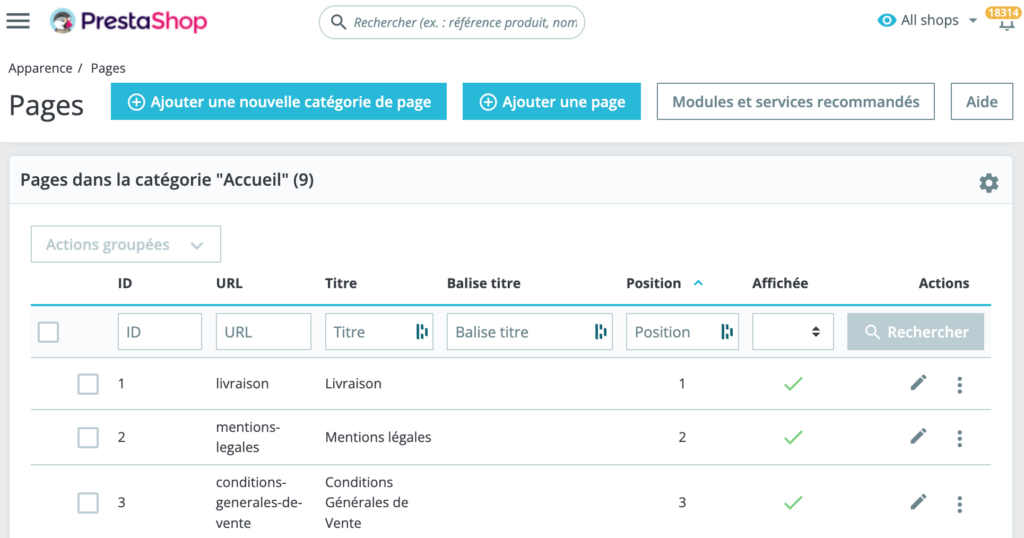
Use PrestaShop's integrated translation interface to translate texts directly from the back office.
Using language files
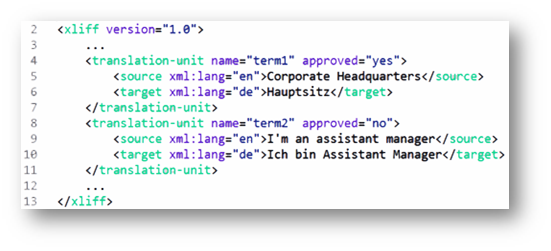
You can translate language files (xml, xlf, php…) by exporting them, translating them with a text editor, then reimporting them into PrestaShop.
Automatic translation modules
Modules like Google Translate or DeepL can accelerate the translation process, but require proofreading to guarantee quality. We advise against using modules because in most cases, they will only partially translate your store. You'll have to do the rest by hand.
Professional translation services
For high-quality translation, you can consider using professional translators or translation agencies. This solution is most expensive in the short, medium and long term.
Professional translation also takes much longer to implement. Count approximately 1 to 3 months per language. You'll regularly need to do extensive follow-up work and repeated quote requests.
The PrestaShop translation solution: Reversia
Reversia is the best of both worlds between automatic translation and professional translation.
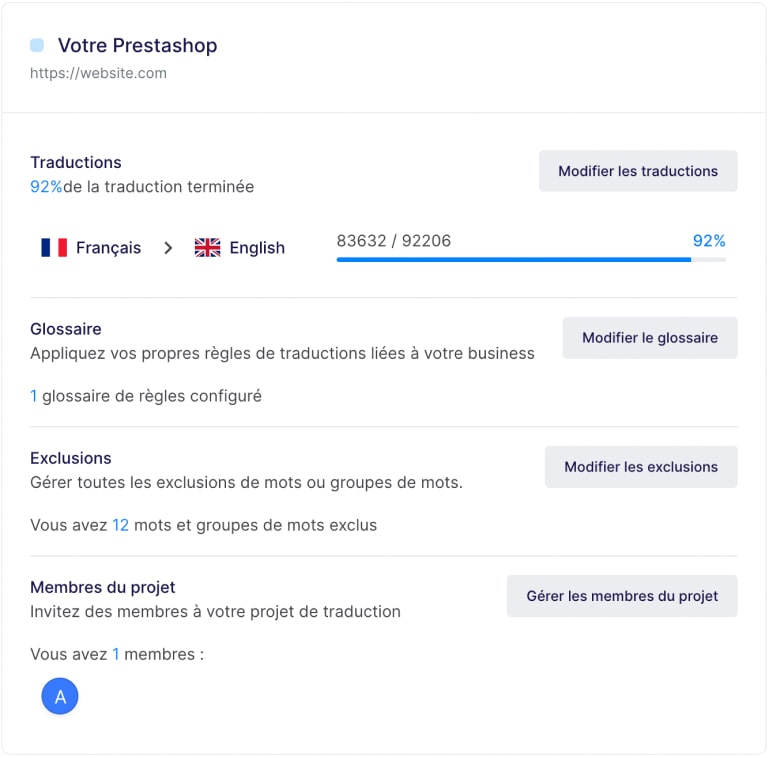
The tool comes in the form of a PrestaShop module to install, connected to an online platform (SaaS). It is connected in real time to automatic translation tools like ChatGPT, Mistral, Llama…
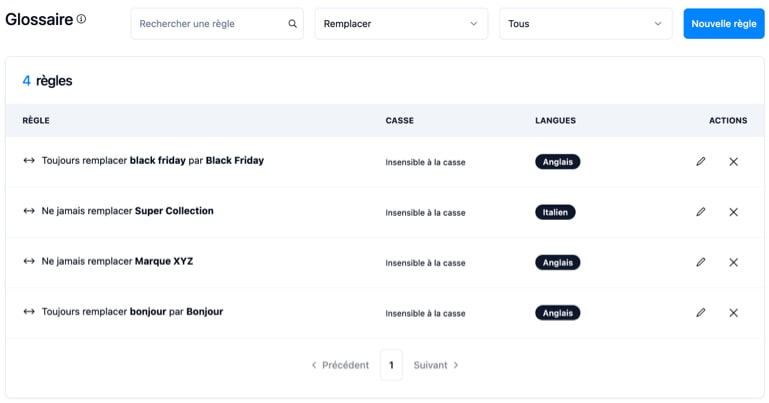
With the ability to control everything through translation rules, you can qualify translations by applying rules linked to your business.
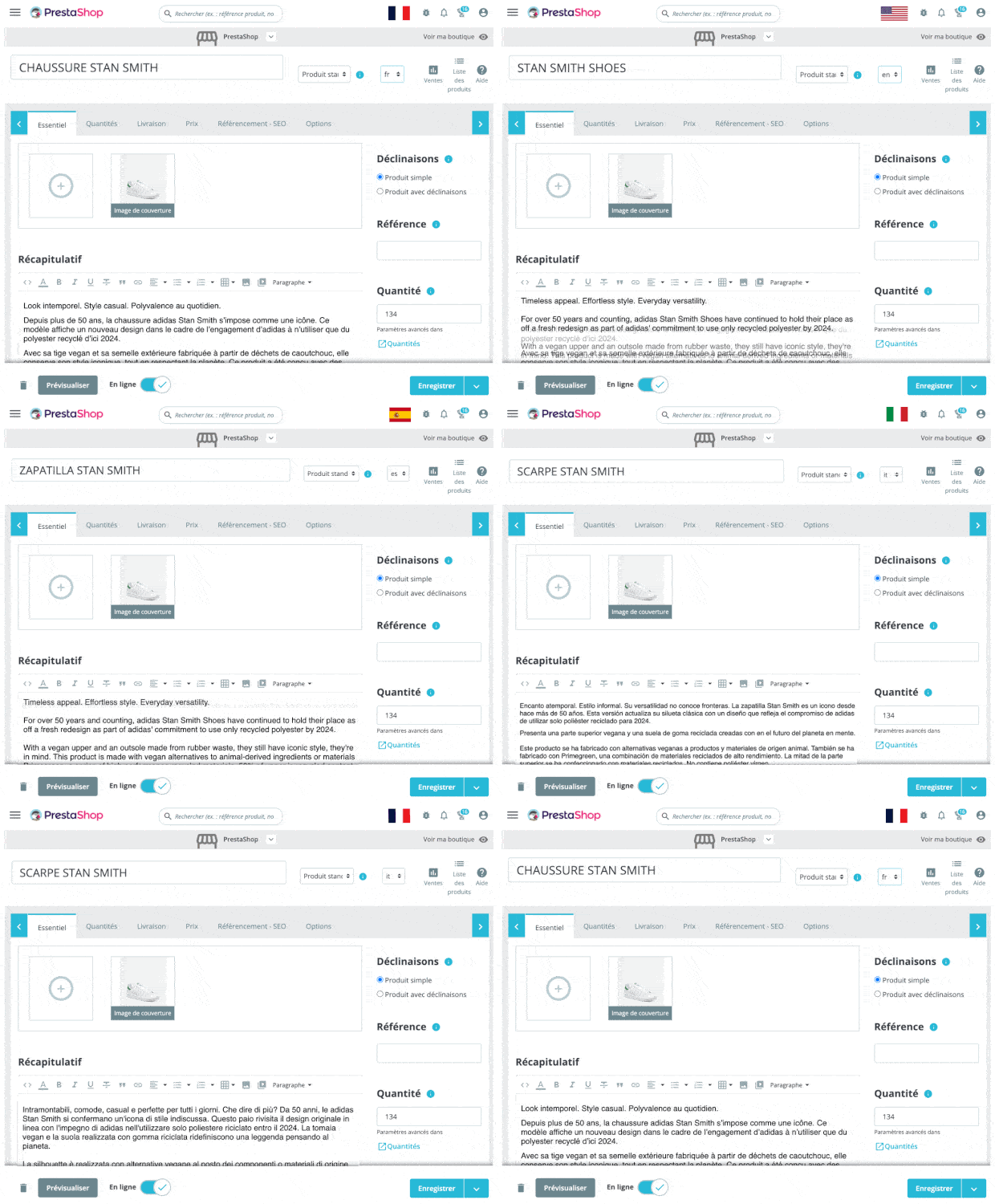
All PrestaShop fields are filled in automatically. And all new content (products, categories, articles…) is automatically translated using your translation rules.
Using Reversia allows you to translate your PrestaShop with professional quality while saving time and money.
IV. Prepare your multilingual SEO
When translating your PrestaShop store into multiple languages, it is crucial not to neglect search engine optimization (SEO). Good multilingual SEO will allow your store to rank effectively in search results of different linguistic markets.
1. Using Hreflang tags
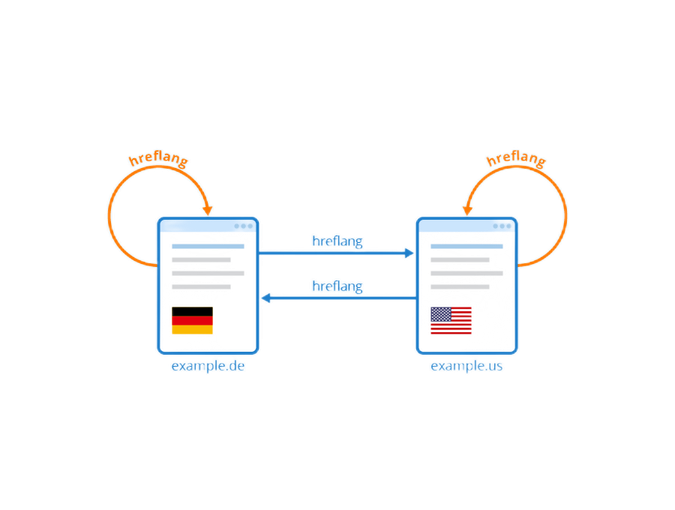
Hreflang tags are essential for indicating to search engines the language version of a page and the audience targeted by that version. By integrating these tags, you inform Google of the different languages available for the same page, thus avoiding duplicate content.
- Implementation: Each page must include a specific hreflang tag for each available language. For example: <link rel="alternate" hreflang="fr-fr" href="https://yoursite.com/fr/page"> for French, and <link rel="alternate" hreflang="en-us" href="https://yoursite.com/en/page"> for English.
2. Multilingual URL structure
The structure of your URLs plays an important role in multilingual SEO. It must be clear, organized and reflect the language of the content. There are several options:
- Subdomains: For example, fr.yoursite.com for French and en.yoursite.com for English.
- Subdirectories: For example, yoursite.com/fr/ for French and yoursite.com/en/ for English.
- Country-specific domains: For example, yoursite.fr for France and yoursite.co.uk for the UK.
Subdirectories are often simpler to manage, while country-specific domains can strengthen the local perception of your brand.
3. Multilingual content optimization
Content is at the heart of your SEO strategy. When translating your store, it is crucial not to simply translate your texts, but to adapt them to the local market taking into account search habits and cultural nuances.
- Keywords: Identify relevant keywords for each market and language. Terms used to search for your products can vary from one language to another.
- Meta Descriptions and Titles: Ensure each language has optimized meta descriptions and page titles, including local keywords.
- Localized content: Adapt examples, cultural references and advertising messages to resonate with the local audience.
4. Multilingual backlink management
Backlinks, or incoming links, are an important factor in SEO. In a multilingual strategy, it is important to generate backlinks from sites in the same language as the version of your site.
- Obtaining local backlinks: Collaborate with local influencers, blogs or media to get links to the local version of your site.
- Monitoring and cleaning Backlinks: Use tools to monitor the quality of backlinks to your multilingual versions. Remove or disavow low-quality links.
5. Technical performance optimization
Technical performance of your site, such as loading speed and mobile compatibility, are also crucial for good multilingual SEO.
- Loading speed: Ensure each language version of your site is optimized for fast loading. Use Content Delivery Networks (CDN) to improve speed across different regions.
- Mobile compatibility: With the increase in mobile traffic, it is essential that all language versions of your site are fully compatible with mobile devices.
6. Multilingual SEO monitoring and analysis
Finally, it is important to track the SEO performance of your multilingual versions to adjust your strategy accordingly.
- Google Search Console: Use Google Search Console to monitor performance of each language version. Regularly check coverage reports, indexing errors, and keyword performance for each language.
- Analytics tools: Tools like Google Analytics or SEMrush can help you track traffic, user behavior and keyword rankings for each language.
By carefully preparing your multilingual SEO, you will maximize the visibility of your PrestaShop store on international markets, while offering an optimized and relevant user experience for each language.