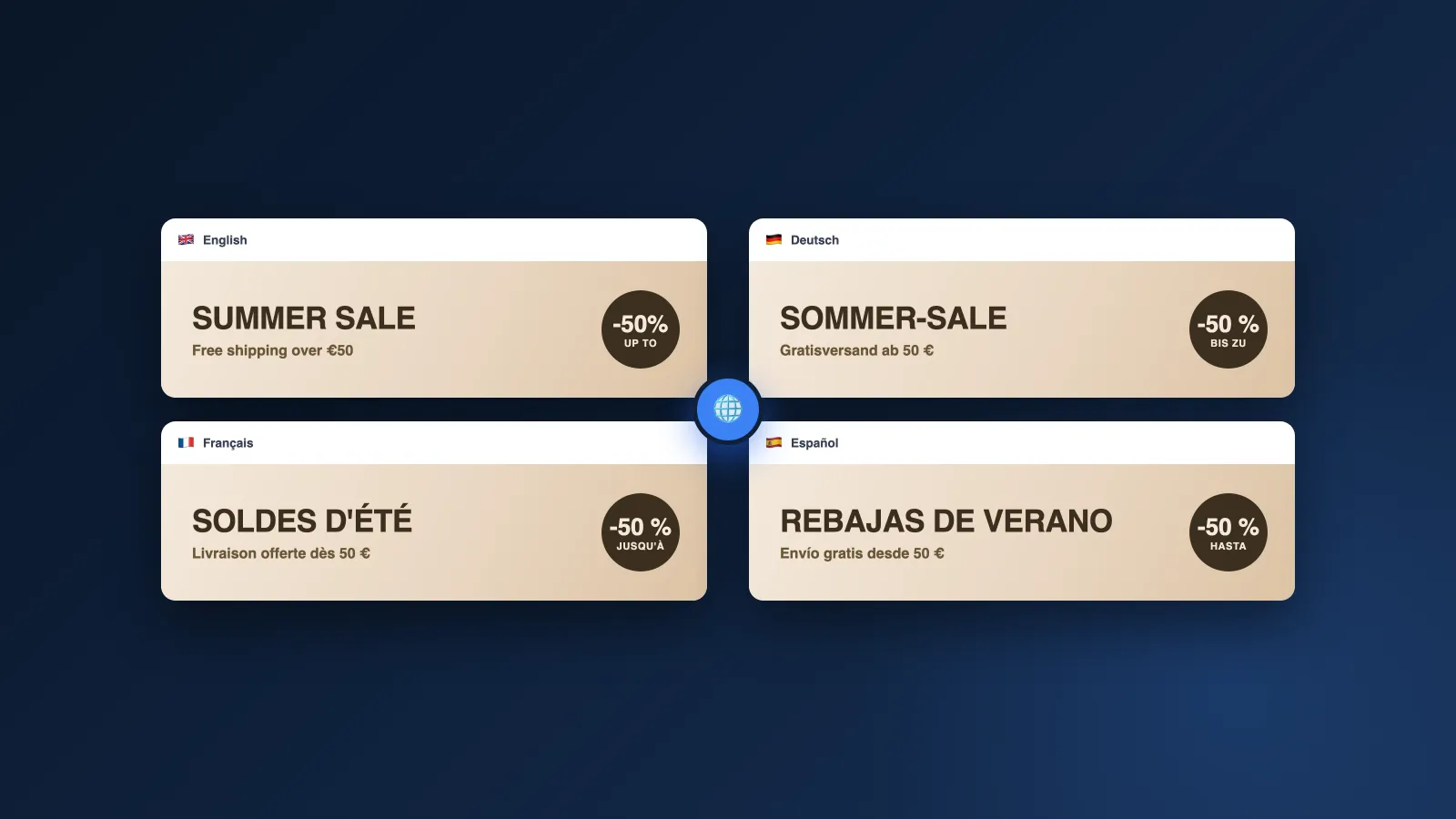
You've translated your product pages, your theme, your checkout… and at the top of your German page still sits your infographic in English. Nothing is broken: Shopify translates your text, never your images.
Media isn't a translatable resource: each product has a single set of images, served as-is to every language. Here's why, and the three approaches to show the right visual to each customer.
Why Shopify shows a single version of your images
Shopify's multilingual system runs on "translatable resources": titles, descriptions, theme content, metadata. Media files aren't one of them, and no native setting lets you say "show this image to French shoppers":
| Element | Natively translatable? |
|---|---|
| Titles, descriptions, theme content | Yes: that's the job of Translate & Adapt and translation apps |
| Image alt text | Yes: it translates like any other field |
| Text baked into the image's pixels | No: no text-translation app touches it |
| A different image per language or market | Not natively: it takes a dedicated mechanism, like Reversia's |
Translating your images therefore means solving two separate problems: producing the translated version of each text-bearing visual, then displaying the right version to each language. Each method below answers one of the two, or both.
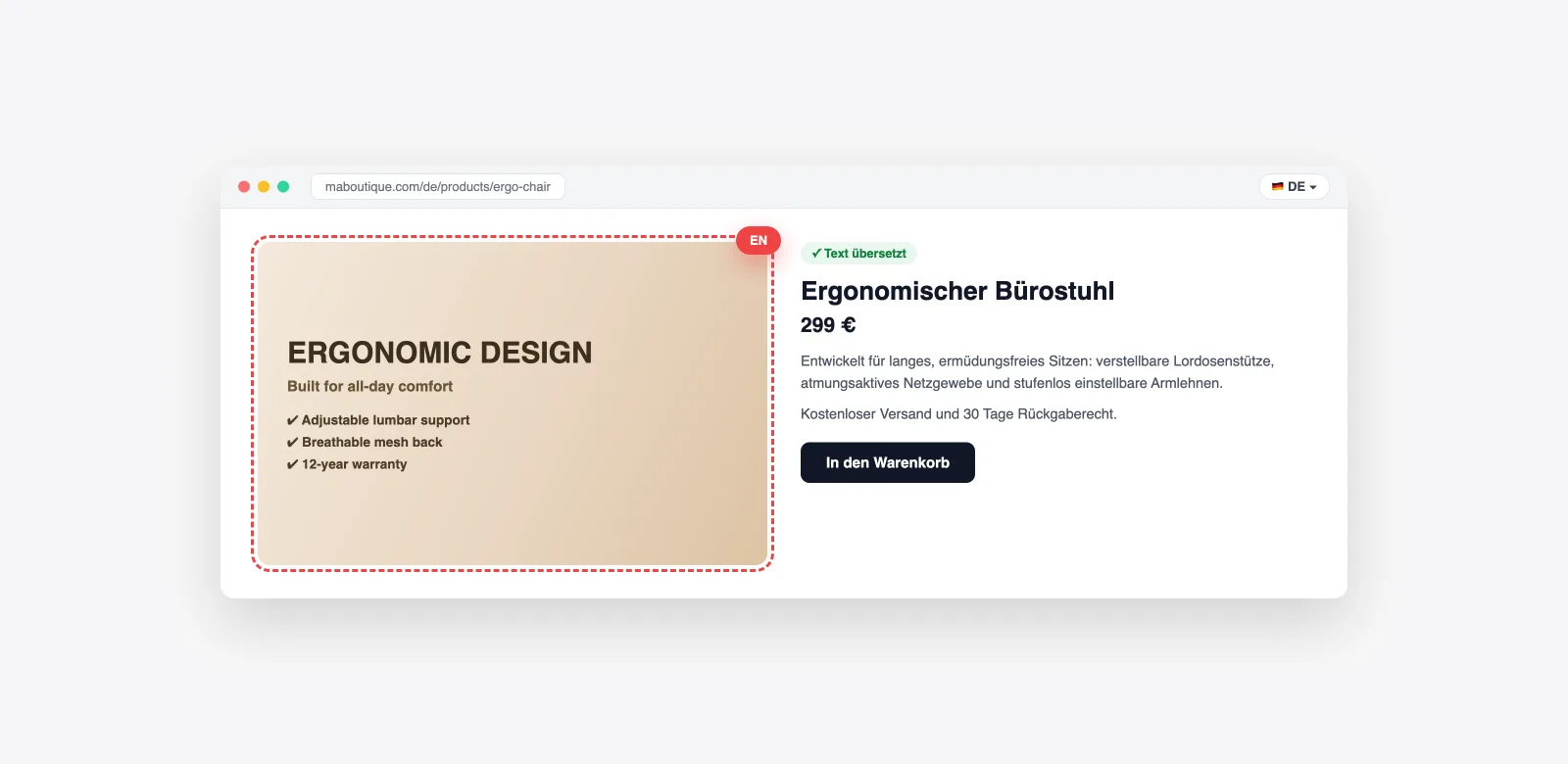
The real cost of an image left in English
A flawless German page topped by an "ERGONOMIC DESIGN" visual sends a quiet but clear signal: this store wasn't really built for you. And text-bearing images — infographics, size charts, promo banners — are exactly the ones carrying your sales pitch.
- Credibility: a visual in the customer's language shows the same care as the rest of the page
- SEO: localized images with translated alt text surface in local searches
- Differentiation: few merchants do it, and the gap shows immediately
Three approaches exist: show a different image per language, translate the text inside the file, or ban text from images altogether. The first two combine very well.
Method 1: one version of each image per language with Reversia
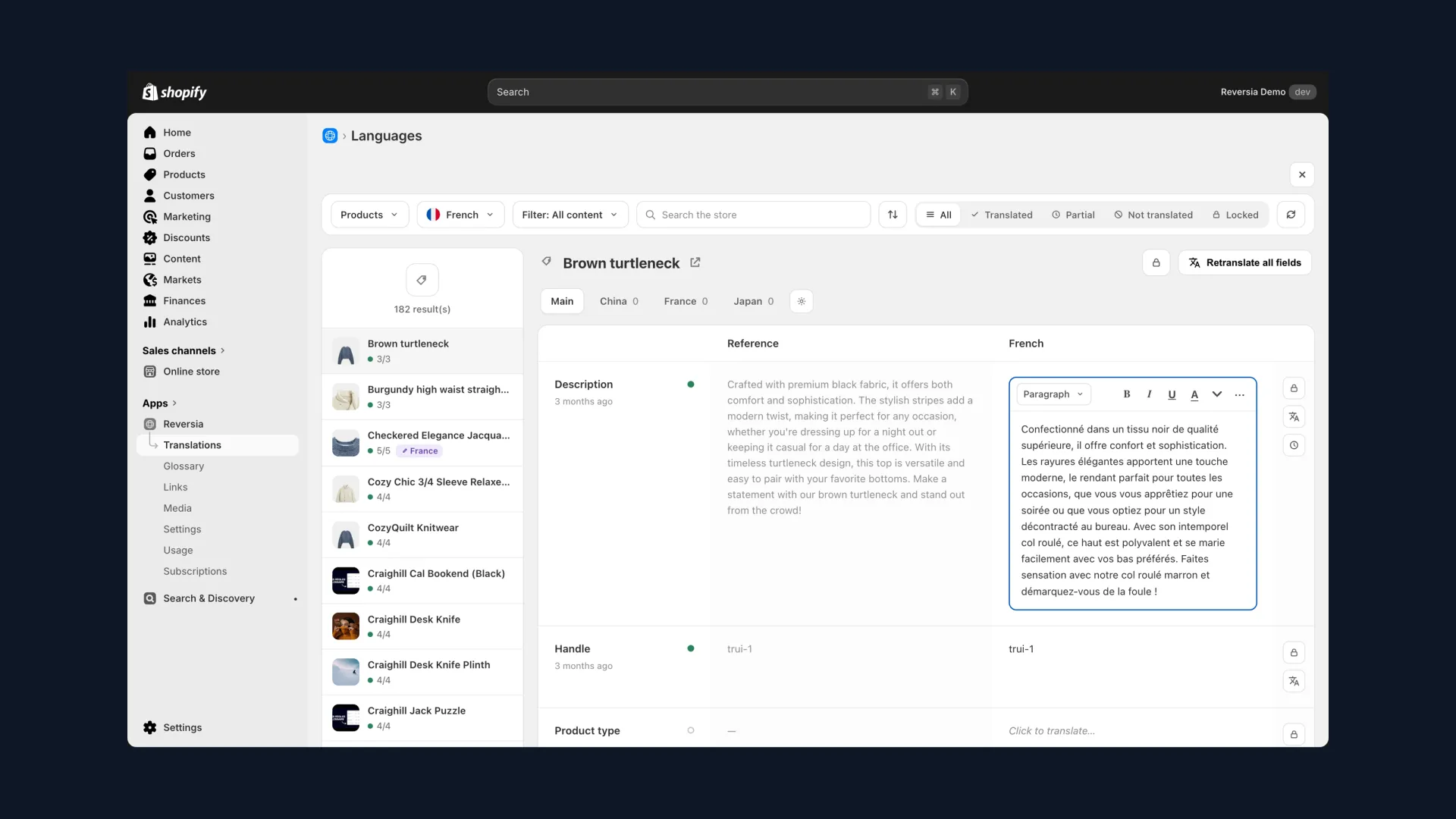
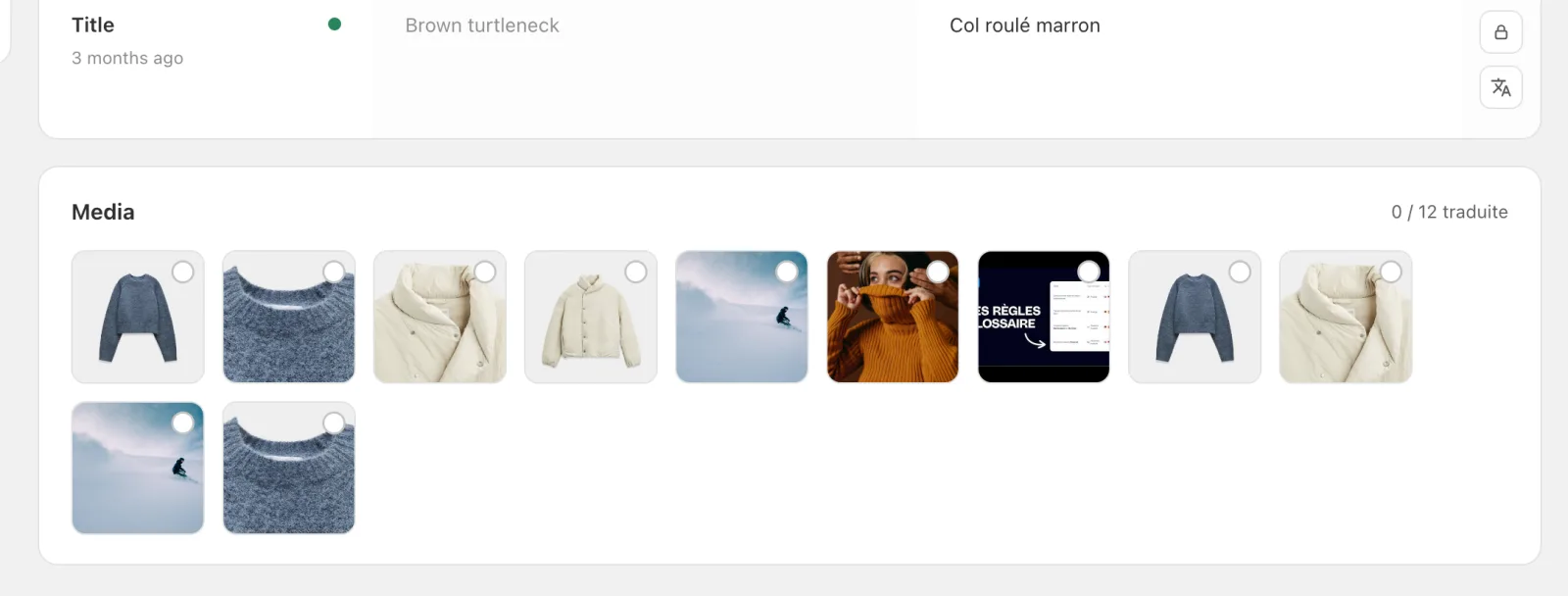
This is the display mechanism Shopify lacks, and Reversia adds: attaching to each media file a version per language, and even per market. It all happens on the product's page, in the Media section:
- Open the product in Reversia's translations and pick the target language
- The Media section lists all the product's visuals with their status, for example 1 of 12 translated
- Click an image: import its translated version, or pick a file already in Shopify
- The right version shows automatically to customers of that language, the original everywhere else
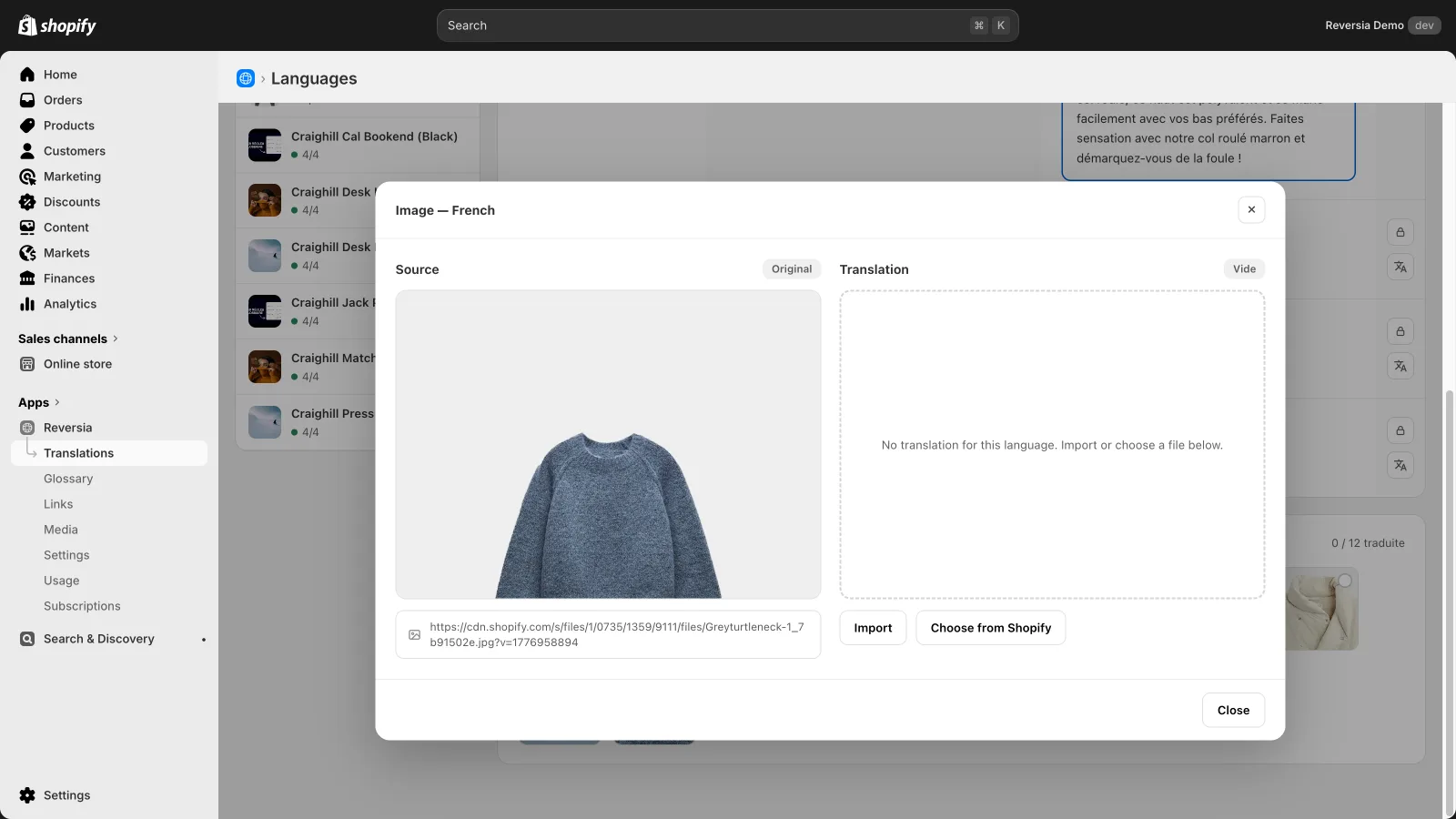
The original stays untouched in your library: the localized version lives alongside it, never in its place. The same principle applies to theme visuals, which can vary per language and per market.
Method 2: translate the text inside the image
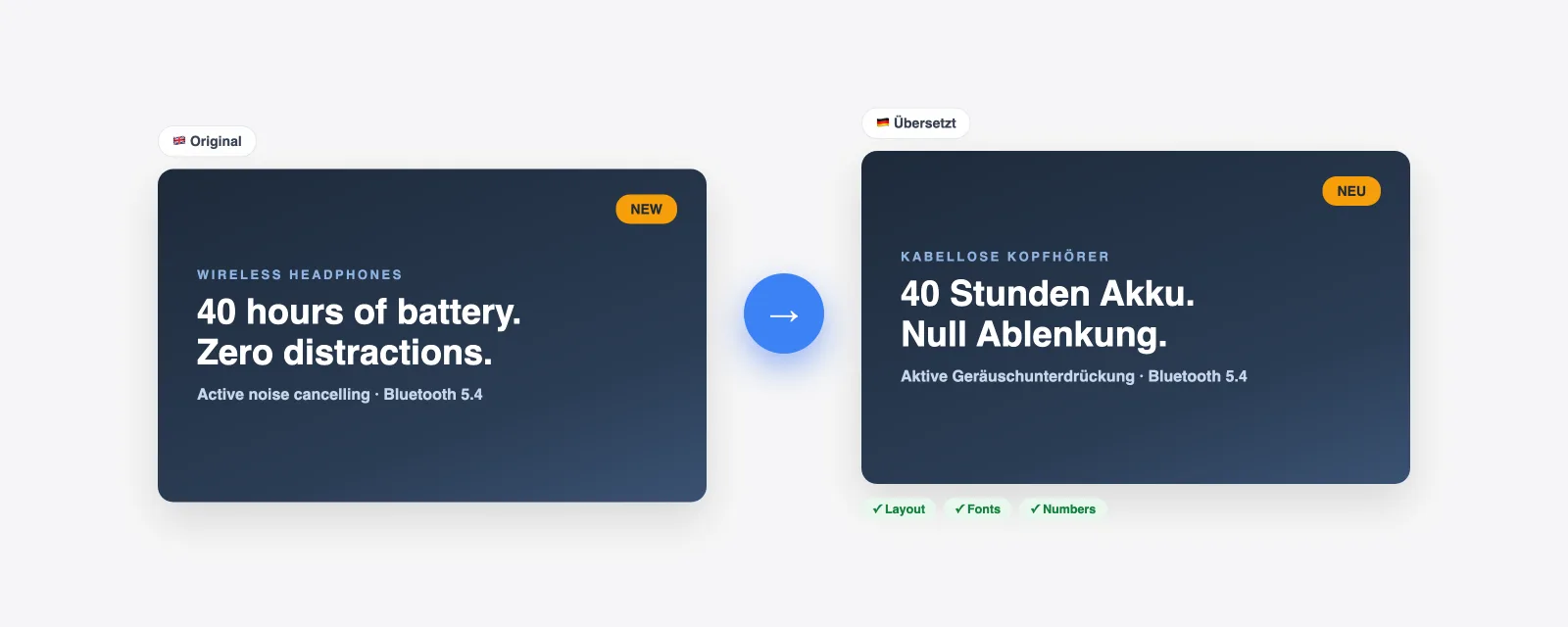
You still need to produce those translated versions. For a handful of visuals, a designer with the source files does the best work; at catalogue scale, image-translation tools (ImageTranslate, KeepFormat…) extract the text via OCR, translate it and redraw it while preserving layout and fonts.
- Check every number — prices, dimensions, warranties: generative pipelines can alter one while redrawing
- Protect your brand and product-line names: they must pass through translation untouched
- Check the rendering at mobile thumbnail size, and the fonts on non-Latin languages
These tools produce the file but display nothing: method 1 is what then serves each version to the right language. Together they form a complete pipeline.
What about banning text from images?
The preventive approach exists: pure photography, with all the words in the page's translatable fields. It's viable for some catalogues, but infographics and size charts exist because they sell; giving them up has a real marketing cost.
| Your catalogue | Recommended approach |
|---|---|
| Pure photos, no baked-in text | Nothing to do: the same visuals work for every language |
| A few stable infographics | Designer or image-translation tool, then per-language display via Reversia |
| Living catalogue, several languages | Full pipeline: generate the translated versions and localize them with Reversia per language and market |
One last warning: never duplicate your products to show different images per market. Split inventory, duplicate SEO, scattered reviews — it's operational debt, not a solution.
FAQ: translating Shopify images
Can Shopify show a different image depending on the language?
Not natively: media is shared across all languages and markets, and only its alt text is translatable. That's precisely what Reversia adds, with a version of each image per language and per market.
Does Translate & Adapt translate the text in images?
No. Translate & Adapt translates the alt text describing the image, but never touches the pixels. A banner with English text stays in English in every language.
How does Reversia localize images?
On each product's page, the Media section lists the visuals with their status per language: you import the translated version or pick an existing Shopify file, and it shows automatically to the right customers. The original stays untouched, and theme visuals can also vary per language and market.
Should I remove all text from my images?
It's the simplest route, but it sacrifices visuals that sell: infographics, size charts, promo banners. Better to keep baked-in text to a minimum, and localize the visuals that carry it.