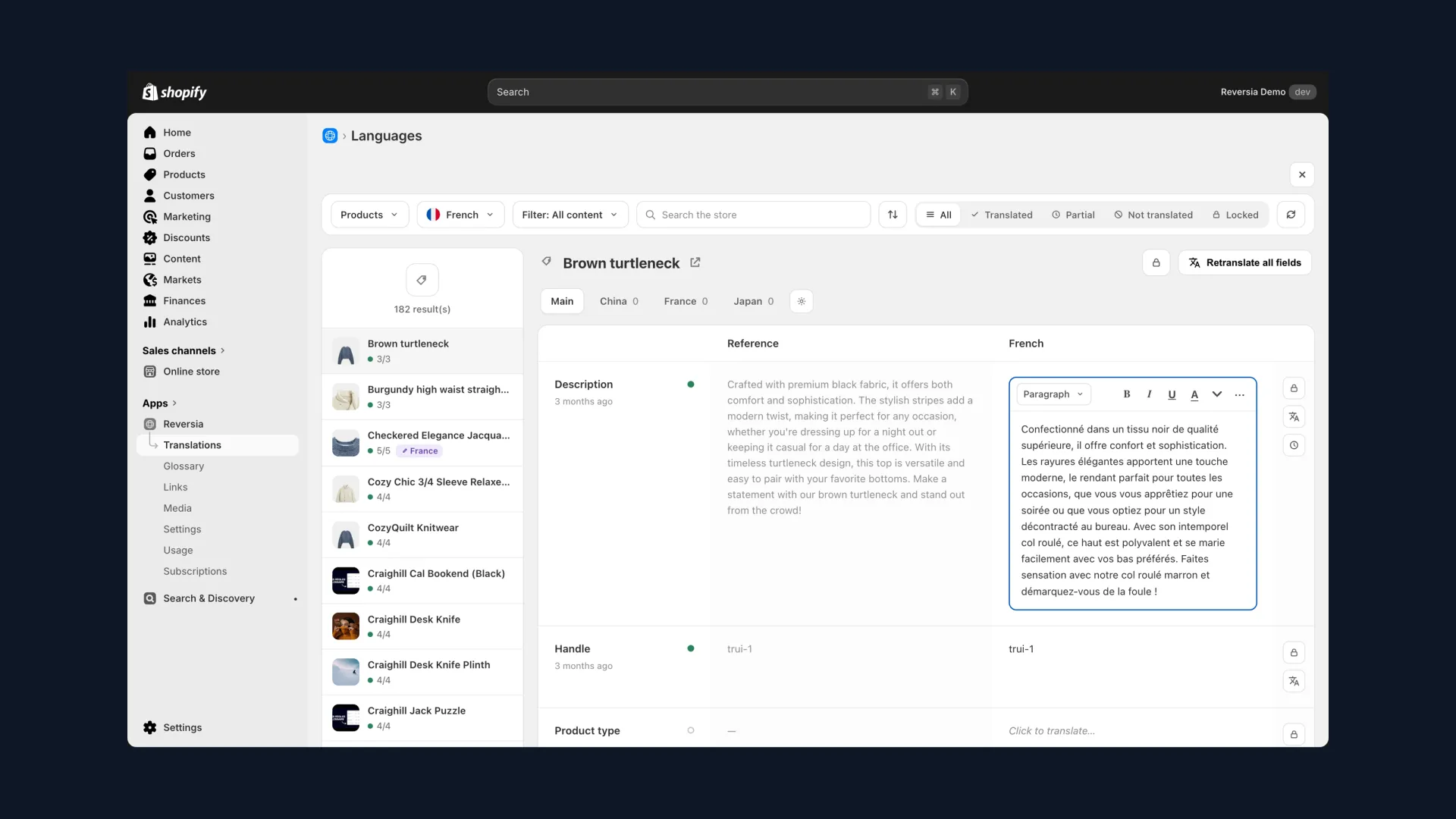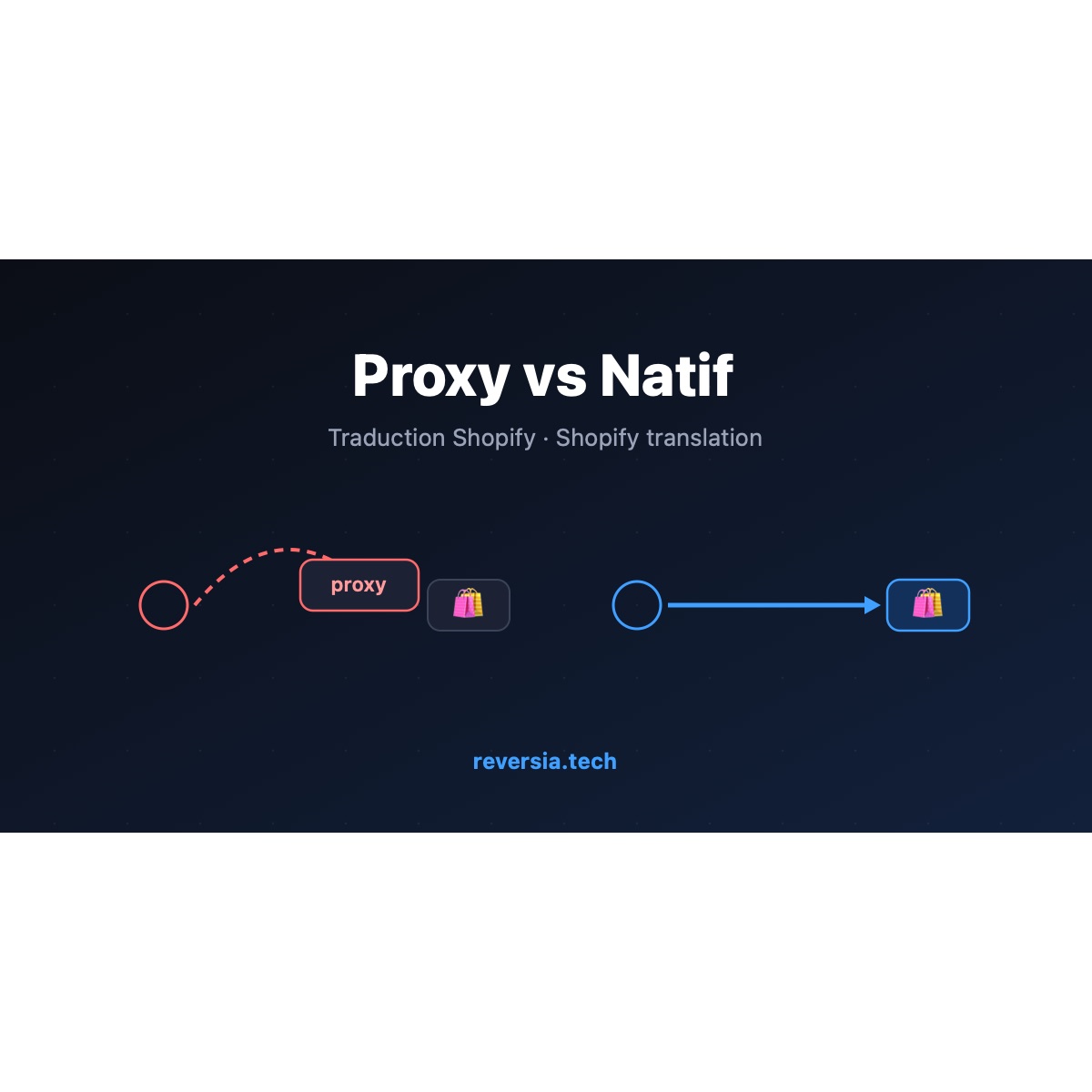
Behind every Shopify translation solution sits an architecture choice nobody explains to you: proxy or native. On the surface, both show the same result, a store in several languages.
But under the hood, everything differs: where your translations live, who serves them to your visitors, what remains if you leave. Here is the full comparison to choose with your eyes open.
The proxy solution: a translation layer on top of your store
A proxy solution never touches your store's content. It sits between your visitors and Shopify: your international domain names point to the provider's servers, which intercept every page and inject the translations on the fly.
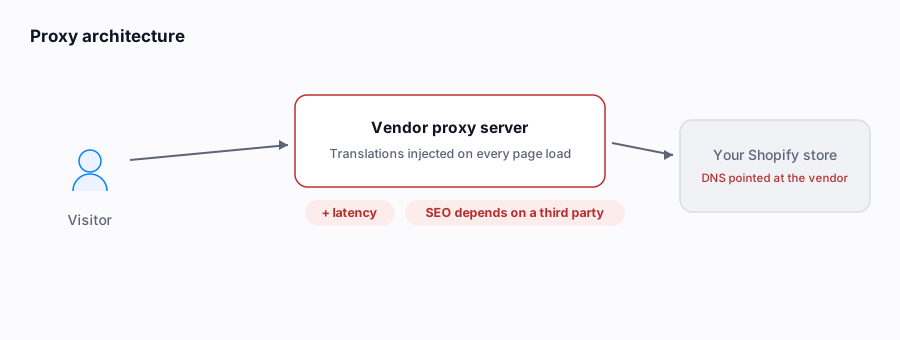
- The DNS of your international domains is connected at the provider's end, not yours
- Translations live on its servers, not in your Shopify store
- On every page load, the translation is inserted on the fly before being served
The two major players in this family are Weglot, the biggest on the market, which translates any type of website, and Glopal, an e-commerce specialist focused on large brands, with extended services such as ad campaign translation.
The three structural problems with the proxy
Your SEO depends on a third party
Your translated pages are generated by the provider's servers. Imposed URL structure, indexing tied to its uptime, content rendered outside your infrastructure: Google evaluates a version of your store you do not directly control.
Performance pays for the detour
Every translated page makes an extra round trip through the proxy server before reaching the browser. That latency adds up on every load, for every international visitor, and drags down your Core Web Vitals in the very markets you are trying to win.
Lock-in: leaving means losing everything
The translations live with the provider. If you cancel, your store goes back to a single language overnight: years of translations, revisions and multilingual SEO vanish with the subscription.
- Translations stored on the provider's servers: cancelling means losing them
- The exports on offer are rarely reimportable as-is anywhere else
- Your international domains must be reconfigured to leave the service
The native app: translations written into Shopify
A native translation app for Shopify takes the opposite path. Installed from the App Store, it uses Shopify's official translation API: the translations are written directly into your store, in the same place as your original content.
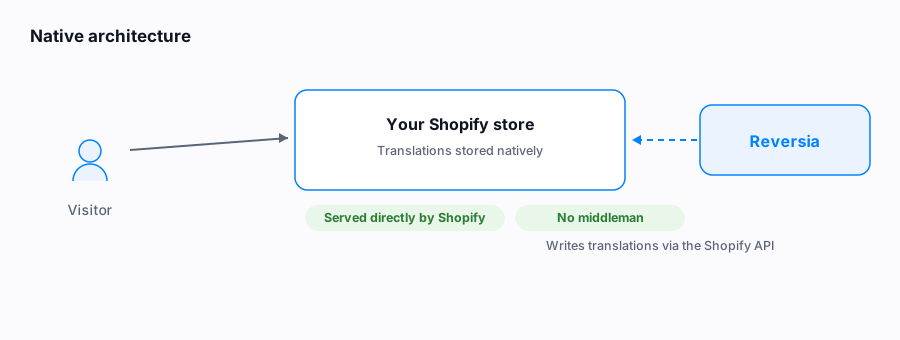
- Translations are stored natively in Shopify, just like your original content
- They are served by Shopify's CDN: the same speed for a customer in Paris, Madrid or New York
- Your SEO setup (domains, /es/ and /de/ subfolders) stays entirely within Shopify
The three advantages of going native
- Staying at the core of the CMS: when Shopify ships a new feature tied to languages or markets, you benefit immediately, while proxies adapt after the fact
- Owning your translations: they are in your store. Switch tools or stop everything? They stay
- Performance and SEO: content served natively by Shopify, clean hreflang tags, no third-party layer between Google and your pages
One caveat though: native does not mean equal. The free Translate & Adapt app caps automatic translation at two languages, and many small apps settle for a ChatGPT call, with no internal linking, no detection of new content, and constant manual actions.
That is where a complete Shopify translation app like Reversia makes the difference: translation by Claude with your glossary rules, metafields and metaobjects covered, internal links rebuilt automatically in every language, and every new or edited piece of content detected then translated within minutes.
Proxy or native: the comparison table
| Criterion | Proxy solution | Native app |
|---|---|---|
| Where translations live | On the provider's servers | In your Shopify store |
| Who serves them to visitors | The proxy, on the fly | Shopify's CDN, directly |
| SEO | Depends on the third party, imposed URLs | Set up in Shopify, clean hreflang |
| Performance | Latency on every load | Native speed, no extra layer |
| If you cancel | Translations disappear | Translations stay in Shopify |
| New Shopify features (languages, markets) | Adaptation after the fact | Immediate benefit |
| Typical billing | Words multiplied by the number of languages | At Reversia: source words only, unlimited languages |
How should you choose?
If your site is not a store, or if you manage a mixed portfolio of sites with no access to the CMSs, the proxy keeps its appeal: it sits on top of anything. That is its real strength, and it is why Weglot targets every type of site.
For a Shopify store, however, the math clearly favors native: your multilingual SEO is a long-term asset, and building it on a third party's infrastructure, billed as a multiple of your language count, means renting what you could own.
One point often reassures merchants who already use a tool: migrating from a proxy to a native solution does not mean starting from scratch. At Reversia, migrations keep your URLs, carry over your existing translations and generate a redirect plan ready to import.
Discover the Reversia app for Shopify
FAQ: proxy vs native
Do I lose my translations if I leave a proxy solution?
In most cases, yes: the translations live on the provider's servers and disappear with the subscription. Exports exist, but they are rarely reimportable as-is. Native works the other way around: the translations remain stored in your Shopify store.
Does a proxy really hurt SEO?
Structurally, it adds a dependency: your translated pages are rendered by a third party, with an imposed URL structure and extra latency. Google can index them, but you are building your multilingual SEO on infrastructure you do not control.
Is Translate & Adapt a native app?
Yes, Shopify's free app is native: the translations are indeed stored in the platform. Its limit lies elsewhere: a maximum of two languages with automatic translation, the rest through manual entry or CSV import, and no automatic internal linking.
Can I migrate from a proxy to Reversia without losing my rankings?
Yes. The migration keeps your URLs and your hreflang tags, carries over your existing translations when they can be exported, and provides a redirect plan ready to import. Dozens of stores have already made the switch without losing positions.
Why do proxies cost more at equal volume?
Most bill words multiplied by the number of languages: 1 million words in 10 languages count as 10 million. Reversia bills source-language words only: you add languages without changing your plan.